9 Metallic Gothic Illustrator Brushes for Ornate Design
There is a distinct visual language that speaks of history, weight, and intricate craftsmanship. It’s found in the wrought iron of a medieval gate, the illuminated edges of an ancient manuscript, and the detailed filigree of vintage jewelry. For designers working in Adobe Illustrator, capturing this specific aesthetic—the blend of gothic structure and fairytale ornamentation—can be challenging. You might spend hours drawing complex paths or searching for static images that don't offer the flexibility a modern project demands. This is precisely where a specialized design asset like the 9 Metallic Gothic Illustrator Brushes set proves its value. It’s not just a collection of lines; it’s a toolkit for instantly weaving that timeless, ornate character into your work.
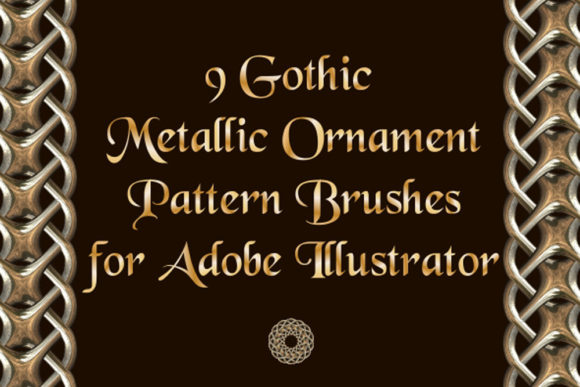
At its core, this set provides nine distinct braided fairytale ornamentation pattern brushes. Think of them as digital strands of interlaced metal or vine, designed to follow any path you create in Illustrator. The visual personality is unmistakably gothic, yet it carries a softer, more dreamlike quality reminiscent of storybook illustrations. You’ll find intricate weaves, repeating medallions, and flowing ribbons that feel both substantial and elegant. The appeal lies in this duality: it’s structured enough for formal borders and frames but has enough whimsy to fit a fairy-style project. Because these are vector brushes, the pattern scales infinitely without losing quality, and you have full control to change the color, size, or thickness to match your specific vision.
Where This Ornamental Style Finds Its Home
The true test of a design asset is its versatility. The 9 Metallic Gothic Illustrator Brushes excel in projects that require a touch of historical gravitas or decorative fantasy. In brand identity, they are perfect for creating logos and visual systems for craft breweries, boutique wineries, historical societies, fantasy gaming companies, or high-end chocolatiers. Imagine a logo where the company name is framed by a subtle, metallic weave—it immediately communicates tradition and quality. For editorial design, these brushes can transform a book cover, magazine spread, or annual report. Use them to create elaborate chapter headings, frame pull quotes, or design ornate borders that give printed materials a luxurious, tactile feel.
Digital applications are just as compelling. In web design, a delicate brush stroke can underline a navigation menu or frame a featured image, adding depth to a flat interface. For social media graphics, they offer a quick way to create standout posts for artists, writers, or event promotions—think a framed announcement for a Renaissance fair or a fantasy novel launch. The brushes also shine in packaging design, where they can adorn labels for artisan goods, cosmetics, or specialty teas, elevating the product’s perceived value. Even for personal projects like wedding invitations, event programs, or custom stationery, this set provides the tools to craft something genuinely unique and memorable.
Practical Guidance for Seamless Integration
Adopting a new creative font or brush set requires a thoughtful approach to ensure it enhances rather than overwhelms your project. The first step is always evaluation. Does the project’s tone align with a gothic or fairytale aesthetic? These brushes pair best with other typefaces that complement their style. Consider a strong, clean sans serif font for body text to provide contrast and ensure readability, or a classic serif font to maintain a traditional feel. Avoid pairing them with overly casual script fonts or handwritten fonts, which can create visual clutter. The goal is to let the ornamental brushes act as a decorative accent, not compete with the typography.
The included files—Ai Illustrator 10 and EPS 10 formats—ensure broad compatibility, but the real advantage is the included PDF help file. This is a crucial resource for understanding how to load, apply, and customize the brushes in your version of Illustrator. Take the time to test them. Apply a brush to a simple circle or rectangle to see how the pattern flows around corners. Adjust the stroke weight to see how it changes the density of the weave. This hands-on experimentation is part of the professional design process and helps you internalize the asset’s capabilities. For commercial use, the licensing is straightforward, allowing you to incorporate these elements into client work and commercial projects with confidence.
Ultimately, the 9 Metallic Gothic Illustrator Brushes are more than just decorative lines. They are a bridge to a specific visual tradition, offering a practical way to inject narrative and sophistication into your designs. By understanding their personality, testing their application, and pairing them thoughtfully with other design assets, you can leverage them to build stronger visual hierarchies, create more engaging brand stories, and produce work that feels both polished and deeply resonant. In a landscape crowded with generic visuals, tools that offer this level of specific, high-quality character are invaluable for any designer or creator aiming to make a lasting impression.