24 Big Data Illustrator Brushes: A Designer's Toolkit
Visualizing the Invisible: The Power of Data-Driven Art
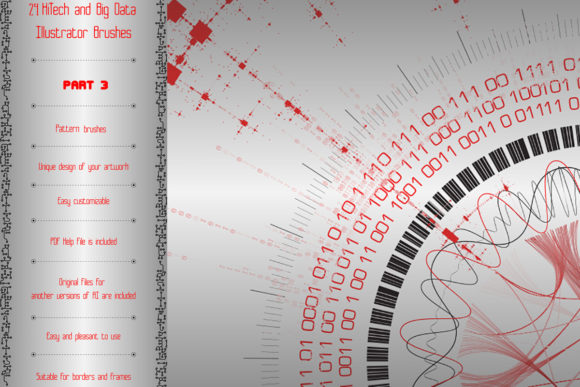
In the world of digital design, finding assets that are both visually striking and conceptually meaningful can be a challenge. This is where the 24 Big Data Illustrator Brushes - Part3 collection steps in. It’s not just a set of decorative tools; it’s a visual language built around the complex, interconnected world of technology and information. These are pattern vector brushes designed to evoke the intricate beauty of data visualization, circuitry, and digital networks. The personality of this toolkit is one of precision, modernity, and intelligent complexity. The visual style leans into clean lines, geometric forms, and repeating patterns that suggest movement, flow, and connectivity—think sinusoids, matrices, gene card elements, and radio circuits.
The overall appeal is for projects that need to communicate innovation, technical expertise, or a forward-thinking brand identity. The brushes translate abstract concepts like data clusters, diagrams, and big data visualization into tangible, decorative elements. This makes them incredibly useful for designers who need to create frames, borders, friezes, and endless ribbons with a distinct technological aesthetic. The ability to easily change color, size, and thickness means you can adapt these assets to fit a vast range of color palettes and scale requirements, from a subtle website border to a bold poster headline.
Practical Applications for Modern Creatives
So, where does a toolkit like this actually work best? The applications are surprisingly broad, spanning both digital and print mediums. For brand identity and logo design, elements from this brush set can be used to create unique logomarks or supporting graphics for tech startups, data analytics firms, cybersecurity companies, or scientific research organizations. The patterns add a layer of sophistication and specificity that generic shapes cannot match. Imagine a company logo framed by a subtle circuit board pattern or a presentation template using data stream brushes as section dividers.
In editorial design and packaging design, these brushes shine. A magazine feature on artificial intelligence, a report cover for a financial analysis firm, or packaging for a high-tech gadget can all benefit from the futuristic mandala or frieze patterns. They provide instant thematic cohesion. For web design and social media graphics, the brushes are invaluable for creating custom hero section backgrounds, post templates, or story highlight covers that stand out in a crowded feed. The patterns can be scaled and colored to match any brand’s style guide, ensuring consistency across all platforms.
For marketers and content creators, this collection offers a practical way to elevate visual content. A blog post about machine learning can be accompanied by custom diagrams and visualizations created directly in Illustrator using these brushes. A webinar slide deck can use the patterns to create cohesive, professional-looking transitions and frames. The key is that the brushes provide a starting point—a set of complex, pre-built elements that can be combined and customized to save hours of drawing time while maintaining a high-end, custom feel.
Integrating Data Brushes into Your Workflow
Choosing the right design assets is about more than just aesthetics; it’s about practicality and fit. Before diving in, consider your project’s core message. The 24 Big Data Illustrator Brushes - Part3 are a premium font alternative in the sense that they are specialized design assets. They are not a traditional typeface but a set of creative font tools for illustration. Their strength lies in their ability to act as a display font for visual elements, adding a layer of modern typography to your graphics without altering your primary text.
Evaluate project fit by asking: Does this project involve technology, data, science, or innovation? If the answer is yes, these brushes are likely a strong candidate. For projects requiring a warm, handwritten, or classic serif feel, they would be incongruous. Testing is straightforward. Download the ZIP archive, which includes original Ai and EPS 10 files, and a helpful PDF guide with screenshots. Load the brushes into your version of Illustrator (compatible with CS5 and above) and experiment. Play with combining several brushes to create unique borders or font pairings between your text and these graphic elements.
Pay close attention to readability and visual hierarchy. The intricate patterns are best used as supporting elements, not for body text. Use them to frame content, separate sections, or create impactful headers. Their complexity should guide the eye, not distract from the core message. For commercial use, the included license in the bundle is your guide. This asset is built for professionals, from designers to small business owners looking to build a credible, modern brand identity. By using these brushes thoughtfully, you can transform standard projects into compelling visual stories that communicate expertise and sophistication, making the invisible world of data beautifully visible.