Transform Your Digital Art with 40 Brick Procreate Brushes
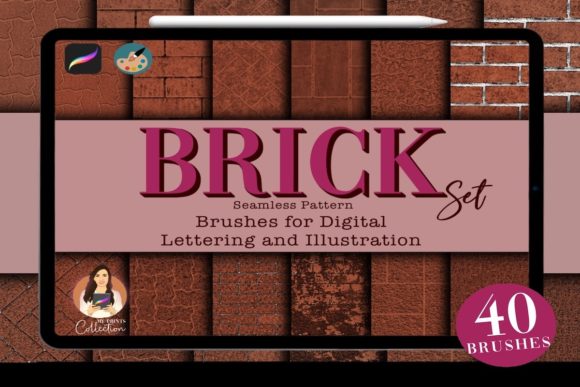
There's a certain honesty to brick, concrete, and stone. They carry texture, weight, and a sense of history that flat digital colors simply can't replicate. If you've ever struggled to give your digital illustrations that tangible, grounded quality, the solution might be more straightforward than you think. The Brick Procreate Set is a collection of 40 seamless brushes designed to bring the rugged beauty of masonry directly into your iPad workflow.
What Exactly Are These Brick Brushes?
Forget the idea of a single, monotonous stamp. This set is a toolkit for building texture. You get 40 distinct Procreate brushes, each engineered to lay down patterns that mimic different types of brickwork, weathered concrete, and natural stone. The key is their seamless nature; you can paint and fill large areas without worrying about obvious, repetitive tiles breaking the illusion. The visual personality here is one of authenticity and versatility. It's not a single style but a spectrum, from clean, modern brick patterns to crumbling, ancient wall effects. Paired with a dedicated color palette, it becomes a complete system for constructing realistic surfaces in your digital art, making it an invaluable piece of your design assets collection.
Practical Applications for Designers and Creators
Where does a set like this shine? Its value extends far beyond simple illustration. Consider these real-world uses:
- Brand Identity & Logo Design: For brands that want to convey strength, heritage, or a handcrafted industrial vibe, incorporating brick or stone textures into backgrounds, secondary logos, or marketing collateral can build a powerful visual language. It’s a creative font alternative—using texture as a typeface for mood.
- Editorial Design & Publishing: Bloggers and magazine creators can use these brushes to design unique section headers, pull-quote backgrounds, or full-page art that breaks the monotony of standard web design layouts. It adds a layer of tactile interest to digital pages.
- Social Media Graphics: In a feed of flat graphics, a textured post background using the 40 Brick Procreate Brushes can instantly stop the scroll. It’s perfect for quotes, announcements, or product showcases that need a gritty, realistic foundation.
- Packaging Design & Mockups: Create stunning product mockups by rendering realistic wall or pavement scenes. This is especially useful for brands selling physical goods, home decor, or artisanal products where context and environment matter.
- Digital Illustration & Concept Art: For artists, this is the core function. Quickly establish the setting for a character, build an urban landscape, or texture a fantasy castle wall. The efficiency of having 40 pre-made seamless brushes saves hours of manual painting.
The influence on your final piece is significant. Using these textures correctly can enhance visual hierarchy by grounding focal points, improve brand perception by aligning texture with brand values, and boost audience engagement through rich, immersive visuals.
Choosing and Using the Brick Set Effectively
Integrating a new tool like this requires a bit of strategy. Here’s how to get the most out of it:
- Evaluate Project Fit First: Before diving in, ask if a masonry texture serves your project's story. Is it for a gritty urban comic, a cozy bakery's branding, or a historical piece? The texture should support the narrative, not distract from it.
- Test and Pair Thoughtfully: Don't just use the brushes in isolation. Experiment with layering them under your illustrations or typography. For text, pair them with clean, legible typefaces—a modern sans serif font often provides a crisp contrast to the organic texture, while a classic serif font can complement a more traditional feel. This is where smart font pairing elevates your design.
- Explore the Full Range: With 40 brushes, you have options. Take time to test each one. Some will be fine-grained for subtle background noise, others will be bold for feature walls. Mix and match to create complex, non-repeating surfaces that look entirely hand-crafted.
- Consider Readability: If you're placing text over a textured background, ensure sufficient contrast. You may need to add a semi-transparent overlay, a soft shadow, or a solid shape behind your text to maintain clarity and professionalism.
This is a digital product, so your purchase is immediate. You'll download a zip file containing the .brushset file for the 40 Procreate Brushes and a .swatch file for the color palette. Remember, it requires Procreate version 5 or higher and is not compatible with Photoshop or Illustrator. Once installed, you have a powerful, commercial-friendly asset at your fingertips, ready to add depth and character to your next project.